GGPanalo fishing games are interactive titles built around moving targets. Fish, sea creatures, fantasy characters, bosses, or special objects move across the screen while the player uses a cannon or another in-game weapon to fire at them. Players can also explore the wider GGPanalo games library to see other available game categories and formats.
The current fishing section includes titles from providers such as JILI, FC, JDB, CQ9, SG, and YellowBat. Each provider may use a different interface, target system, weapon style, and set of special features.
This guide explains the current visible GGPanalo fishing games, how the basic gameplay works, what common controls mean, how credits are used, how mobile access works, and what players should check before starting a session.
What Are GGPanalo Fishing Games?
GGPanalo fishing games are interactive titles built around moving targets. Fish, sea creatures, fantasy characters, bosses, or special objects move across the screen while the player uses a cannon or another in-game weapon to fire at them.
The main difference from a regular slot is the way the player interacts with the game. Instead of selecting a bet and pressing Spin, a fishing game normally asks the player to choose a firing value, select a target, and decide when to shoot.
Each firing action may use game credits. The amount used depends on the current cannon level or shot value selected in the game.
Some titles may also include additional features such as:
- Auto fire
- Target lock
- Boss creatures
- Special weapons
- Multipliers
- Bonus targets
- Power-ups
- Special game events
These functions are not universal. A feature found in one title may not be available in another, even when both games come from the same provider.
Fishing Games and Providers Available on GGPanalo
The current visible GGPanalo fishing games selection includes titles from several providers.
| Provider | Fishing Games Visible on GGPanalo |
| JILI | Jackpot Fishing, Mega Fishing, Happy Fishing, Boom Legend, All-Star Fishing, Royal Fishing, Dragon Fortune |
| FC | Pesta Pesca, Pescaria da Fortuna, Rei Macaco Pescador |
| JDB | Cai Shen Fishing, Dragon Fishing II, Shade Dragons Fishing, Fishing Yilufa, Fishing Disco |
| CQ9 | Turn You On, Hero Fishing |
| SG | Fishing War |
| YellowBat | Ocean Phoenix Megaways |
The table reflects the current visible selection rather than a permanent catalog. Game libraries can change as titles are added, removed, renamed, or moved to another category.
The provider name is worth checking because it helps identify the company behind the game. It can also give players an idea of the general interface style, although individual titles can still use different controls and features.
How to Play GGPanalo Fishing Games
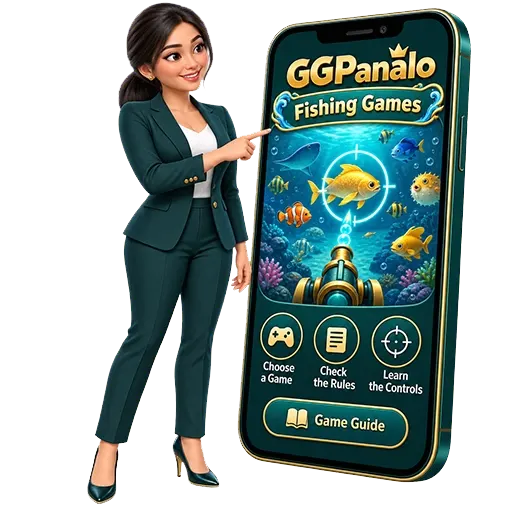
The exact controls depend on the title, but the general process is usually easy to follow.
1. Choose a Fishing Game
Open the fishing category and select the title you want to check.
Look at the provider name and preview image before opening the game. This can help distinguish between titles with similar fishing themes.
2. Review the Game Information
Look for the Help, Rules, Information, or Settings section.
Use it to understand the current:
- Cannon controls
- Shot values
- Target types
- Special weapons
- Bonus features
- Auto-fire controls
- Target-lock functions
This information is more useful than relying on the visual appearance alone.
3. Check Your Available Credits
Review the balance or game credits shown on screen before firing.
Each shot may reduce the available amount. Knowing the current firing value makes it easier to track how quickly credits are being used.
4. Select a Cannon or Firing Value
Some fishing titles allow the player to increase or decrease the value attached to each shot.
A higher setting may use more credits per firing action. Choose a value that stays within the amount you planned to use.
5. Choose a Target
Select one of the moving targets shown on screen.
Possible targets can include regular fish, larger sea creatures, special characters, bosses, or bonus objects.
6. Fire and Monitor the Screen
Use the cannon control to fire at the selected target.
Watch both the target and the credit display while playing. If the game triggers a capture, multiplier, bonus feature, or special event, the result should appear on screen.
Understanding Cannons and Shot Values
The cannon is one of the most important controls in a fishing game because it determines how the player fires at targets.
The shot value refers to the amount of game credit connected to each firing action. Some titles use simple plus and minus buttons to adjust it, while others may use different cannon levels.
A player should check the current value before firing repeatedly. Even a small change in the firing level can affect how quickly credits are used when many shots are made in a short period.
This becomes more important when auto fire is active. Because the cannon keeps firing without requiring a separate click each time, credits can be used continuously until the feature is stopped.
Shot value should be treated as a spending setting rather than a guarantee of a better result.
Common Targets and Special Creatures
Fishing games usually place several types of targets on the screen at the same time.
Regular fish are often the most common. Larger creatures, fantasy characters, or boss-style targets may appear less frequently or use different mechanics.
Some games also include objects that are not traditional fish, such as special symbols, bonus creatures, or event characters.
The visual size of a target can help distinguish it from others, but size alone should not be used to predict what will happen after firing. Players should refer to the title’s own information when they want to understand how a particular creature works.
Common Fishing Games Features
Fishing titles may include additional tools that change how the player interacts with the screen.
Auto Fire
Auto fire allows the cannon to continue shooting without repeated manual clicks or taps.
This can be useful during fast gameplay, but it also makes it easier to use credits quickly. Check the current firing value before activating it.
Target Lock
Target lock keeps the cannon focused on one selected creature where supported.
This can make it easier to follow a moving target when several creatures are on screen at once.
Boss Targets
Bosses are larger or special targets used in certain fishing titles.
They may have unique animations, special mechanics, or connections to bonus events.
Special Weapons
Some games may provide temporary or game-specific weapons.
Examples can include stronger cannons, area attacks, or power-up effects. The actual function depends on the title.
Multipliers and Bonus Targets
Certain games may display multiplier values or special targets connected to bonus features.
Players should check how those values are applied rather than assuming they work the same way across every fishing title.
How to Choose a Fishing Game
Choosing a fishing title should be based on how easy the game is to understand rather than on graphics alone.
Start by checking the provider and controls. A clear interface can make it easier to identify the firing value, available balance, target-lock button, and other features.
It is also useful to look at:
- Target variety
- Cannon controls
- Bonus mechanics
- Screen layout
- Mobile support
- Game instructions
- Visual clarity
- Pace of gameplay
A title with simple controls may be easier for a first-time player to understand. More feature-heavy games may require extra time to learn.
Large numbers, bright effects, or animated bosses should not be the only reason for choosing a particular game.
What to Check Before Starting a Fishing Game
Before entering a longer session, it helps to make a few quick checks.
First, confirm that the correct game has loaded. Similar thumbnails or titles can make it easy to open the wrong one.
Next, check the starting shot value. Some games may remember a previous setting, so it is better to verify the amount before firing.
Also check the available balance, controls, and screen orientation. On mobile, switching to landscape mode may make buttons and moving targets easier to see.
Finally, decide how much you plan to use for the session before you start. This gives you a clear limit instead of making spending decisions while the game is already running.
Fishing Games vs Slot Games
Fishing games and slot games use different interaction styles.
In a fishing title, the player usually aims at moving targets, adjusts a firing value, and uses a cannon or weapon to shoot. Several creatures may move across the screen at once.
A slot game uses reels and symbols. The player selects a bet, starts a spin, and waits for the symbols to stop.
Fishing games often use features such as target lock, auto fire, boss creatures, and special weapons. Slot games are more likely to use wilds, scatters, free spins, expanding symbols, or reel-based bonus rounds.
The fishing format can feel more interactive because players choose where to aim. That does not mean the player can fully control the final result.
Playing GGPanalo Fishing Games on Mobile
GGPanalo fishing games may be accessible through supported Android and iOS devices using the platform’s mobile interface or compatible browser.
The experience can vary depending on the title and device.
Some games may automatically adjust to the available screen size. Others may be easier to use in landscape mode because the wider display gives more room for targets, cannons, menus, and balance information.
A stable connection is useful because fishing titles can contain several moving objects, continuous animations, sound effects, and repeated firing actions.
A weak connection may cause:
- Slow game loading
- Delayed controls
- Interrupted animations
- Temporary disconnections
- Difficulty loading certain game elements
Mobile players should also keep the device updated and close unnecessary applications if the game is running slowly.
Understanding Game Outcomes
Fishing games allow players to choose targets, but choosing a target does not guarantee a particular result.
A large creature, special character, or boss may attract attention because of its design or displayed value. Repeatedly firing at that target, however, does not mean a specific reward must occur.
Players should also be careful with unofficial claims about guaranteed techniques.
Examples include:
- Fixed winning targets
- Perfect firing patterns
- Guaranteed boss methods
- Secret cannon combinations
- Exact timing tricks
These claims should be treated cautiously unless the feature or mechanic is clearly explained in the official game information.
Use the rules shown inside the selected title as the main reference.
Managing Credits During a Fishing Session
Credit management is especially important in fishing games because the player can fire repeatedly within a short period.
The first step is to know the current shot value. If that value is increased, each firing action may use more of the available balance.
Auto fire can also change the pace of spending. Since the game continues firing automatically, players may use credits faster than when firing manually.
A simple approach is to decide on a session limit before playing and monitor the balance regularly. If the amount set aside for entertainment has been used, stop rather than increasing the firing value in an attempt to recover it.
This gives the player more control over spending even when the game itself moves quickly.
Common Fishing Game Terms
Understanding common terms can make the interface easier to follow.
- Cannon – The in-game weapon used to fire at targets.
- Shot Value – The amount of game credit connected to each firing action.
- Target – The fish, creature, character, or object being aimed at.
- Boss – A larger or special target used in certain games.
- Multiplier – A displayed value that may affect a result when the required conditions are met.
- Auto Fire – A function that allows the cannon to continue firing automatically.
- Target Lock – A feature that keeps the cannon focused on a selected target.
- Power-Up – A temporary game feature that may change a weapon or firing effect.
The wording can differ between providers, so unfamiliar symbols or controls should be checked in the game information section.
Account Safety When Accessing Fishing Games
Use the official GGPanalo platform when accessing fishing games.
Keep account information private, especially:
- Passwords
- OTPs
- Verification codes
- Recovery details
Do not give these details to anyone claiming they need them to unlock a fishing title, activate a reward, or fix the game.
Avoid modified game files, unofficial applications, or unknown download links. Accessing the games through the supported platform reduces the risk of using a fake or altered version.
If you use a shared device, log out of the account when finished.
Responsible Fishing Game Play
Fishing games can move quickly because multiple targets may be available and players can fire repeatedly.
Before playing, decide how much you are willing to use for entertainment. Keep that amount separate from money needed for food, bills, transport, education, savings, medical expenses, or other essential costs.
Pay particular attention when using higher cannon values or auto fire because both can increase the rate at which credits are used.
Do not increase the shot value simply because earlier shots did not produce the expected result. Taking a break can also help prevent a fast session from turning into unplanned spending.
Fishing games should be treated as entertainment rather than as a guaranteed source of income.
Final Notes on GGPanalo Fishing Games
GGPanalo fishing games use a target-based format built around moving creatures, cannon controls, firing values, and game-specific features.
The current visible selection includes titles from JILI, FC, JDB, CQ9, SG, and YellowBat, giving players several different interface and theme options.
Before playing, understand the controls, check the current shot value, and make sure the game is easy to follow on your device. Keep account information private and follow established digital security practices when protecting passwords and account access.
Most importantly, set a clear entertainment budget and monitor how quickly credits are being used, especially when higher firing values or automatic features are active.